
Help us improve your experience.
Let us know what you think.
Do you have time for a two-minute survey?
Help us improve your experience.
Let us know what you think.
Do you have time for a two-minute survey?
Juniper Mist on US GovCloud is a special cloud instance that addresses specific regulatory and compliance requirements of US government agencies at the federal, state, and local level; contractors; educational institutions; and other US customers that run sensitive workloads in the cloud. Juniper Mist on US GovCloud runs on AWS GovCloud (US) Regions allowing customers to adhere to Federal Risk and Authorization Management Program’s (FedRAMP) moderate impact level. AWS GovCloud (US) is provided for entities that choose, or are required, to utilize US persons-only cloud environment.
This page lists the Juniper Mist product updates released on US GovCloud on August 15, 2023.
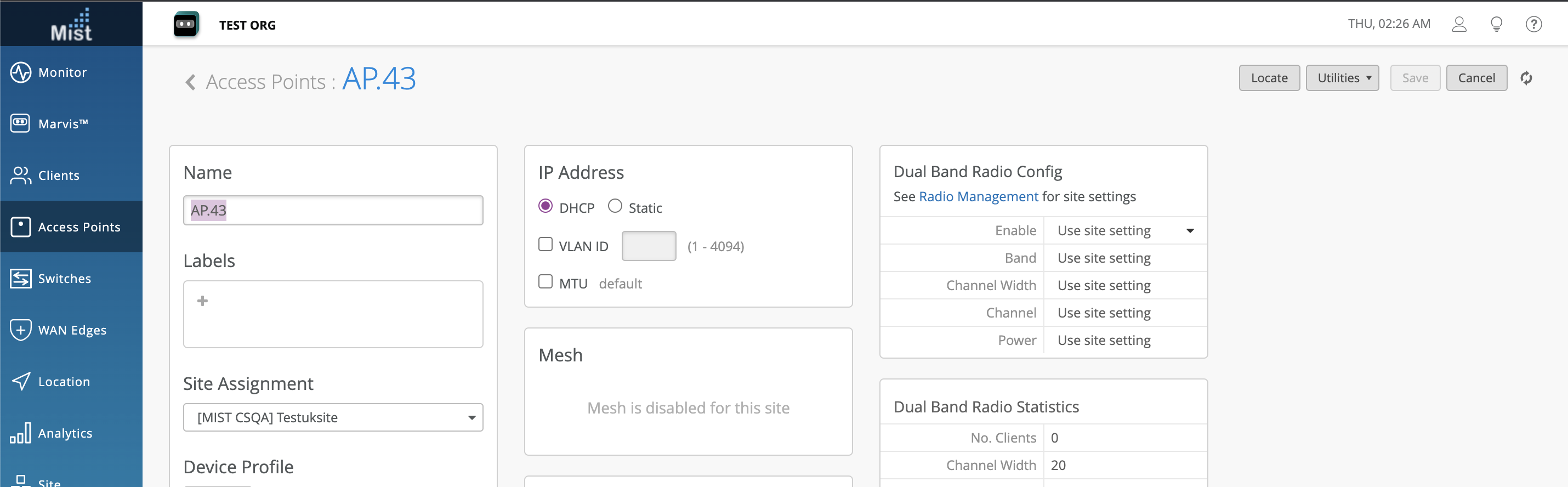
The supported AP43 FIPS version is .10 firmware.
Switch Port Operator (SPO) user role provides the ability to configure ports that are allowed by a Super User on the UI. This role also inherits all the properties of the Helpdesk role.
To allow this user role to configure a single or multiple ports, a Super User needs to set Allow switch port operator to modify port profile to yes under port configuration.
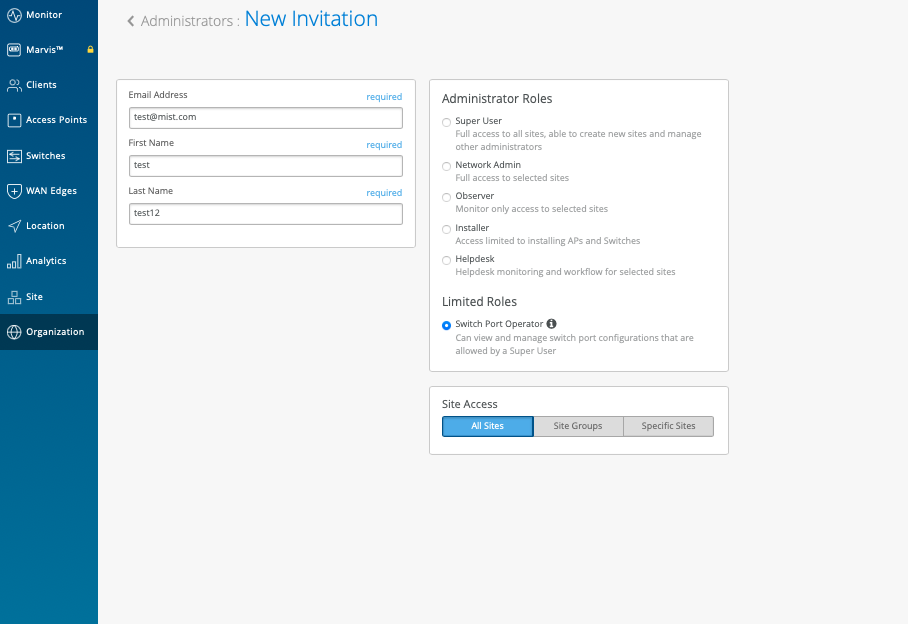
On the ports with configuration allowed, an SPO can:
Create a new port configuration from the port configuration module.
Select the port and edit the port configuration from the switch front panel.
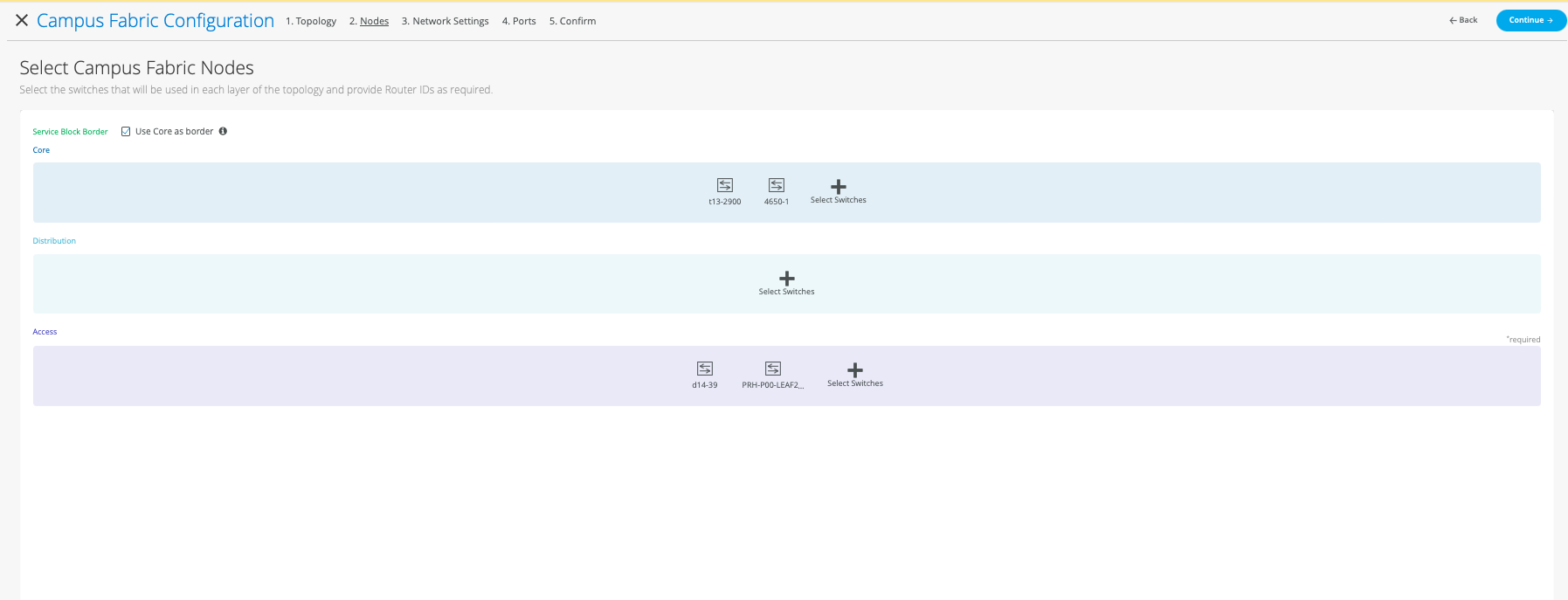
Campus Fabric provides support for 3-stage IP Clos fabric for users to connect their Access switches directly to Core switches with the distribution layer being optional. IP Clos networks provide increased scalability and segmentation using a well-understood standards-based approach (EVPN-VXLAN with GBP). For more details: https://www.juniper.net/documentation/us/en/software/mist/product-updates/uploads/Campus-Fabric-IP-Clos-Wired-Assurance.pdf
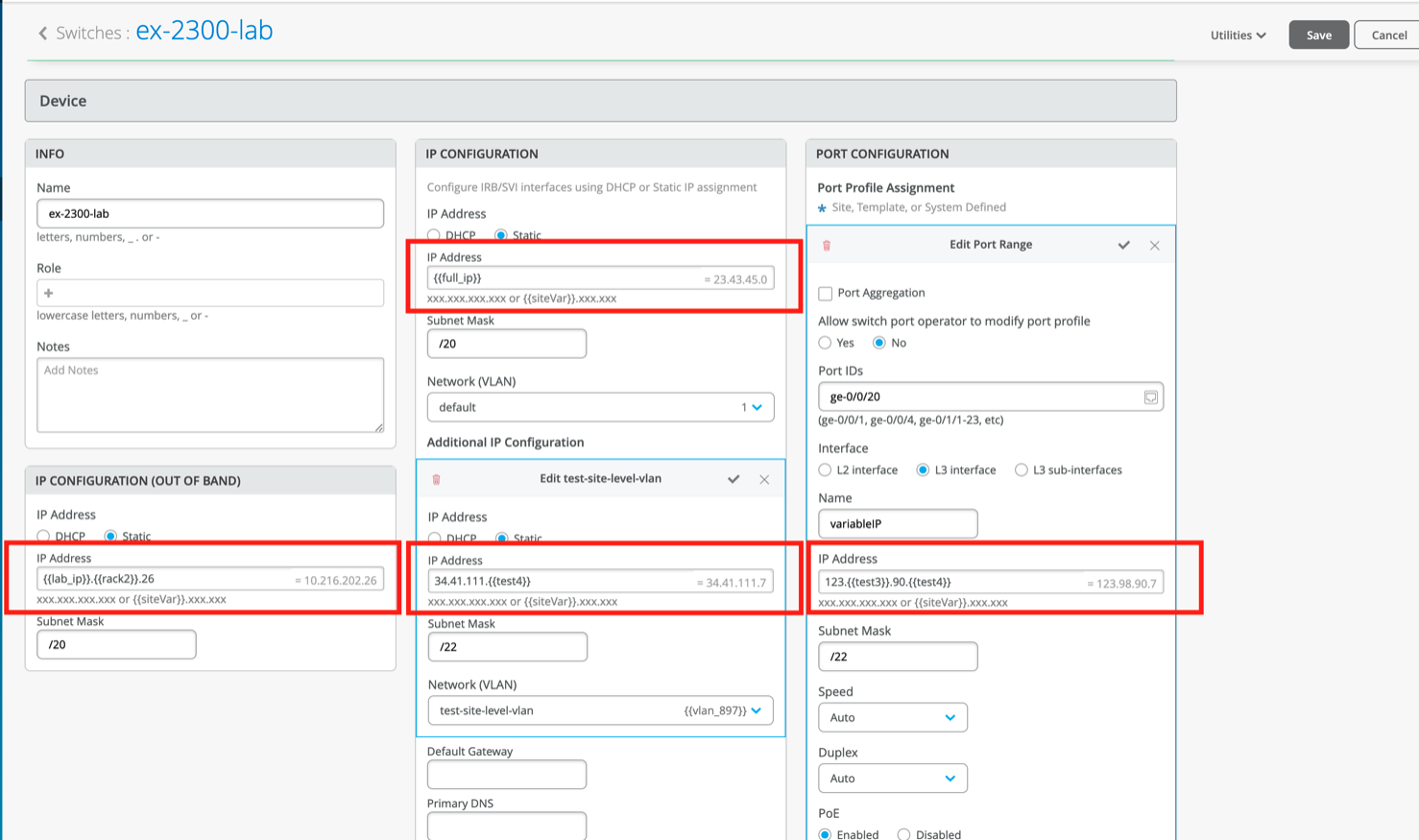
Users will now have the ability to provide IP addresses as a variable for switch configuration under device/site/org template for scalability in large deployments. The required variables can be defined under the site configuration which can be used for switch configuration.
Currently we support variables for the following inputs:
IP configuration (Out of Band)
IP configuration
Additional IP configuration
Port Configuration → L3 interface
Networks → Subnet
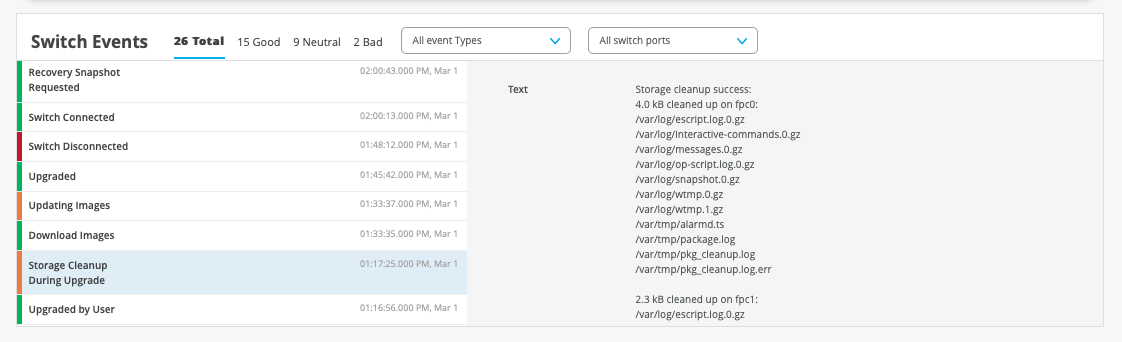
Now Mist UI provides more switch events with details for the switch upgrade process.
In addition to EX2300 VC formation, Mist UI now supports VC formation for EX4650 and QFX5120 in managed mode.
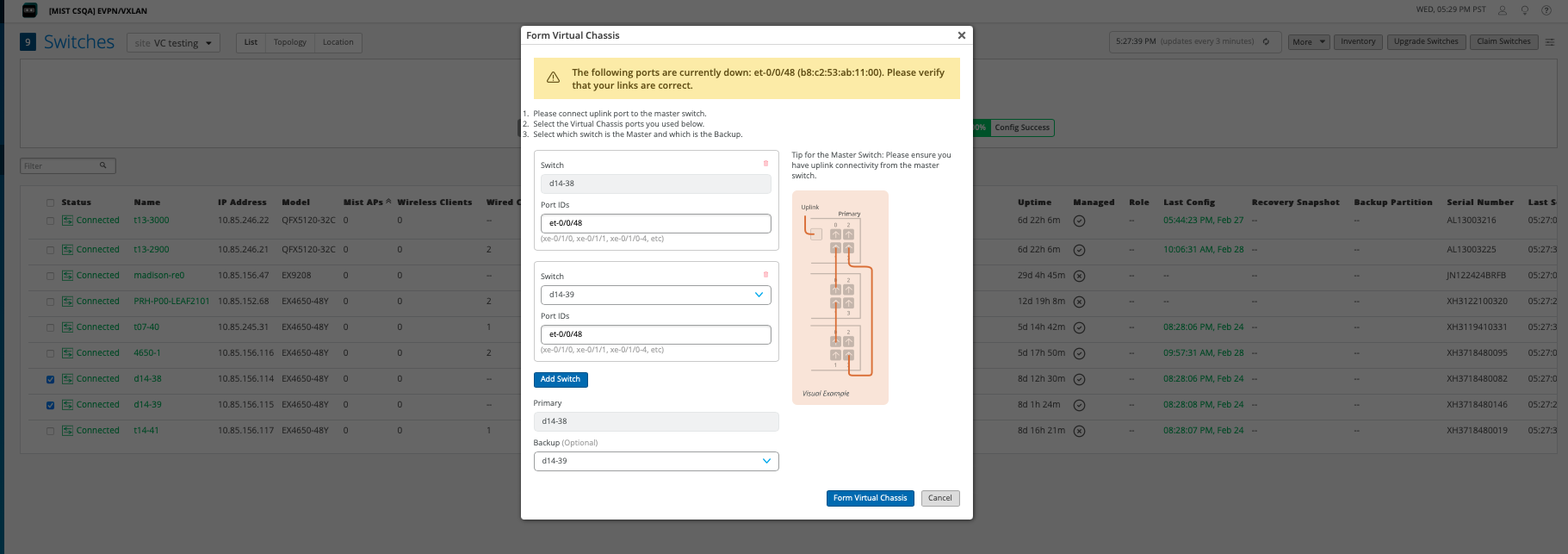
VC formation can be done for all the other supported platforms as well, beyond EX2300, EX4650 and QFX5120. Please see Virtual Chassis – Mist.
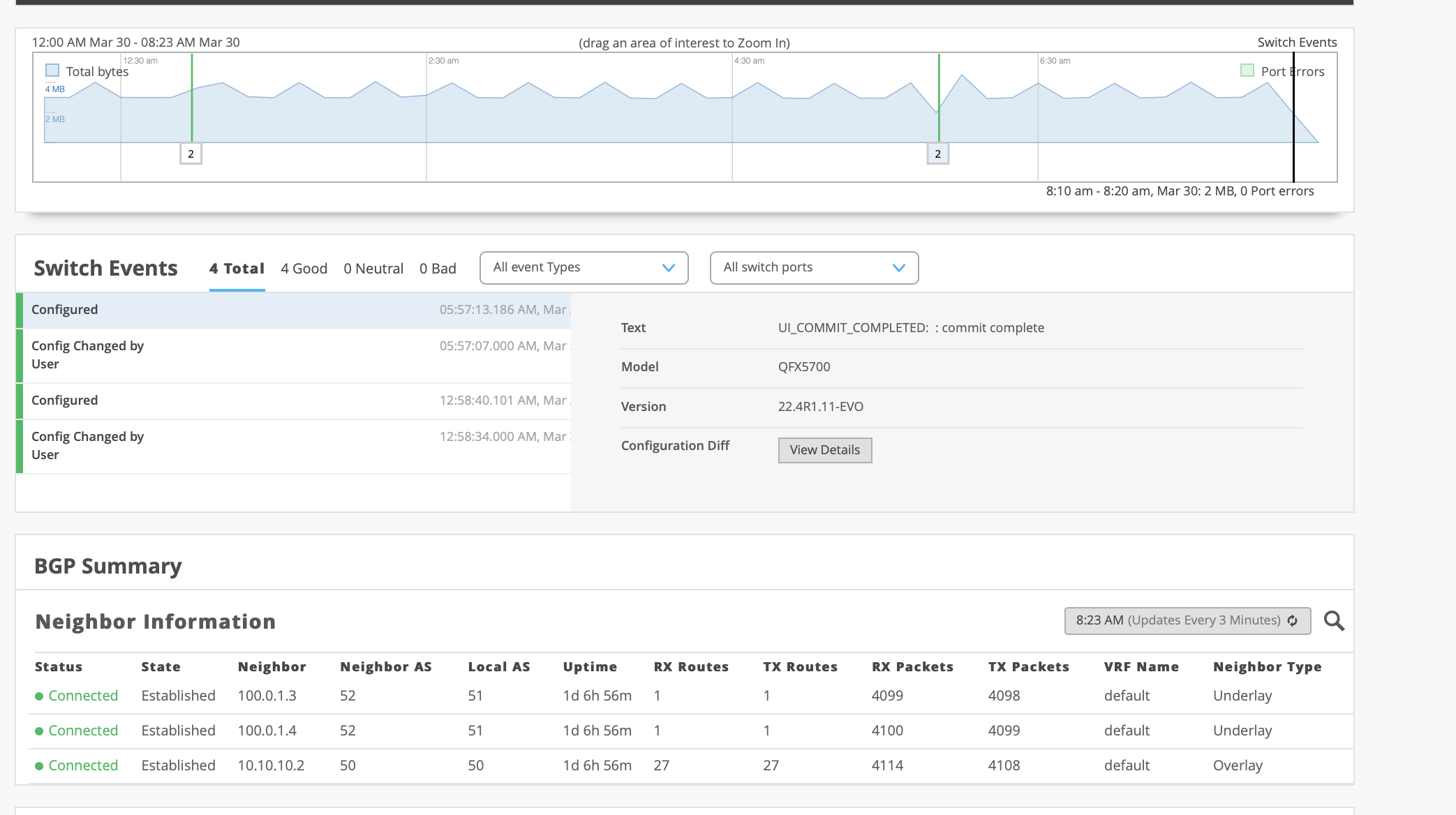
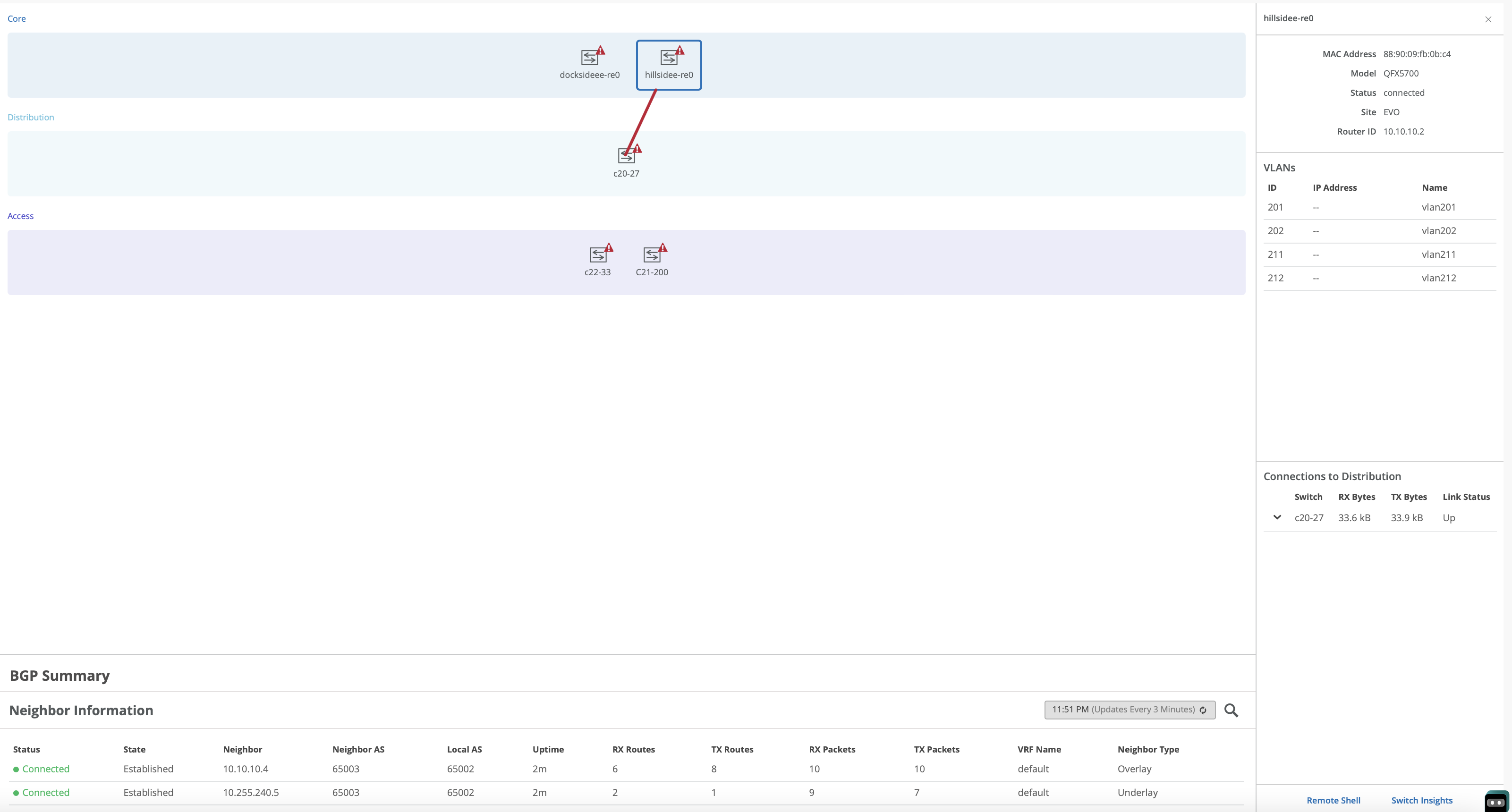
The Switch Insights and Campus Fabric pages now provide the BGP neighbor state and summary to view active connections. This information is helpful in troubleshooting and monitoring data.
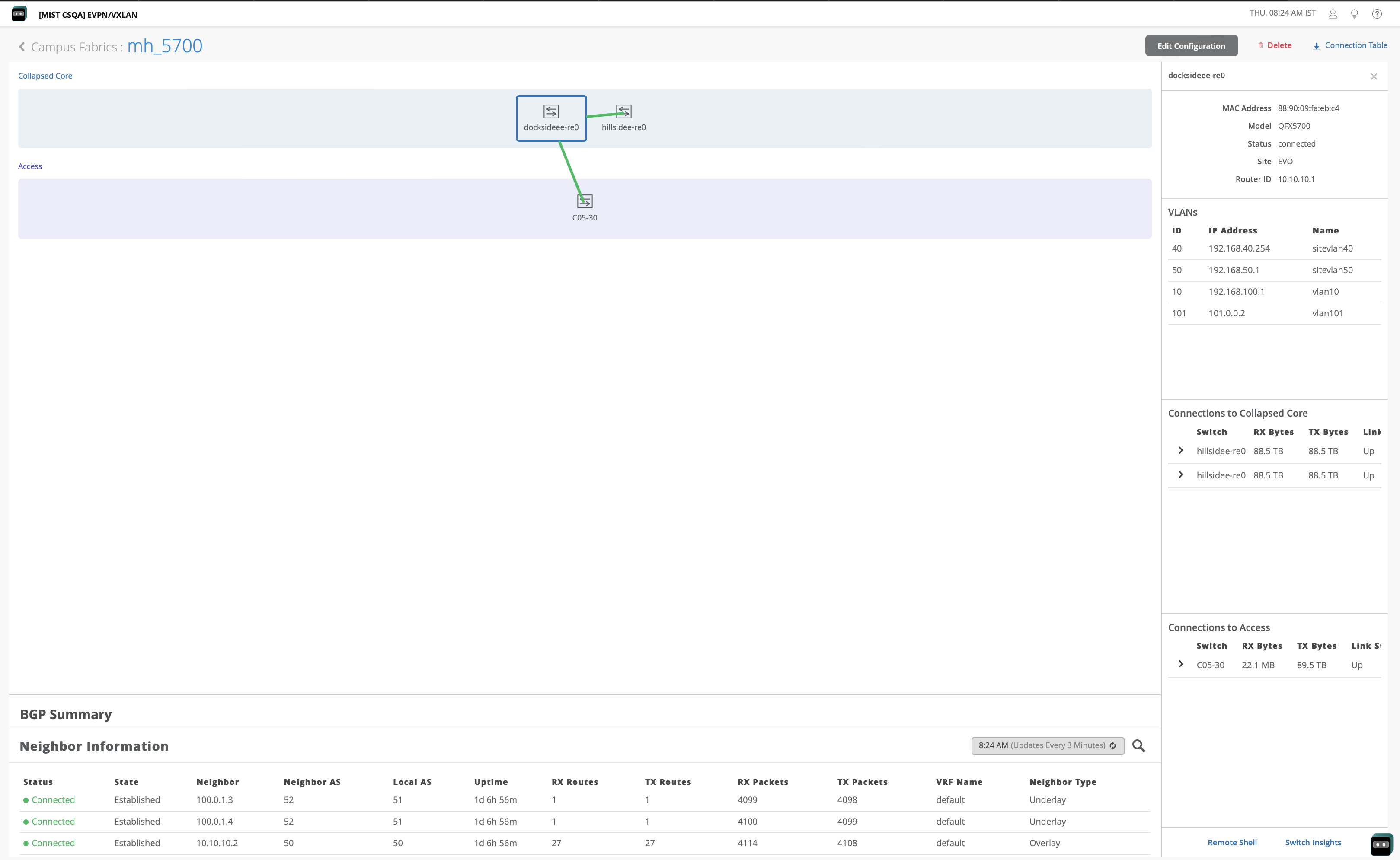
Customers will now be able to form EVPN-MH and Campus Fabric IP Clos with Juniper EVO platforms QFX5130 and QFX5700 on the Mist dashboard.
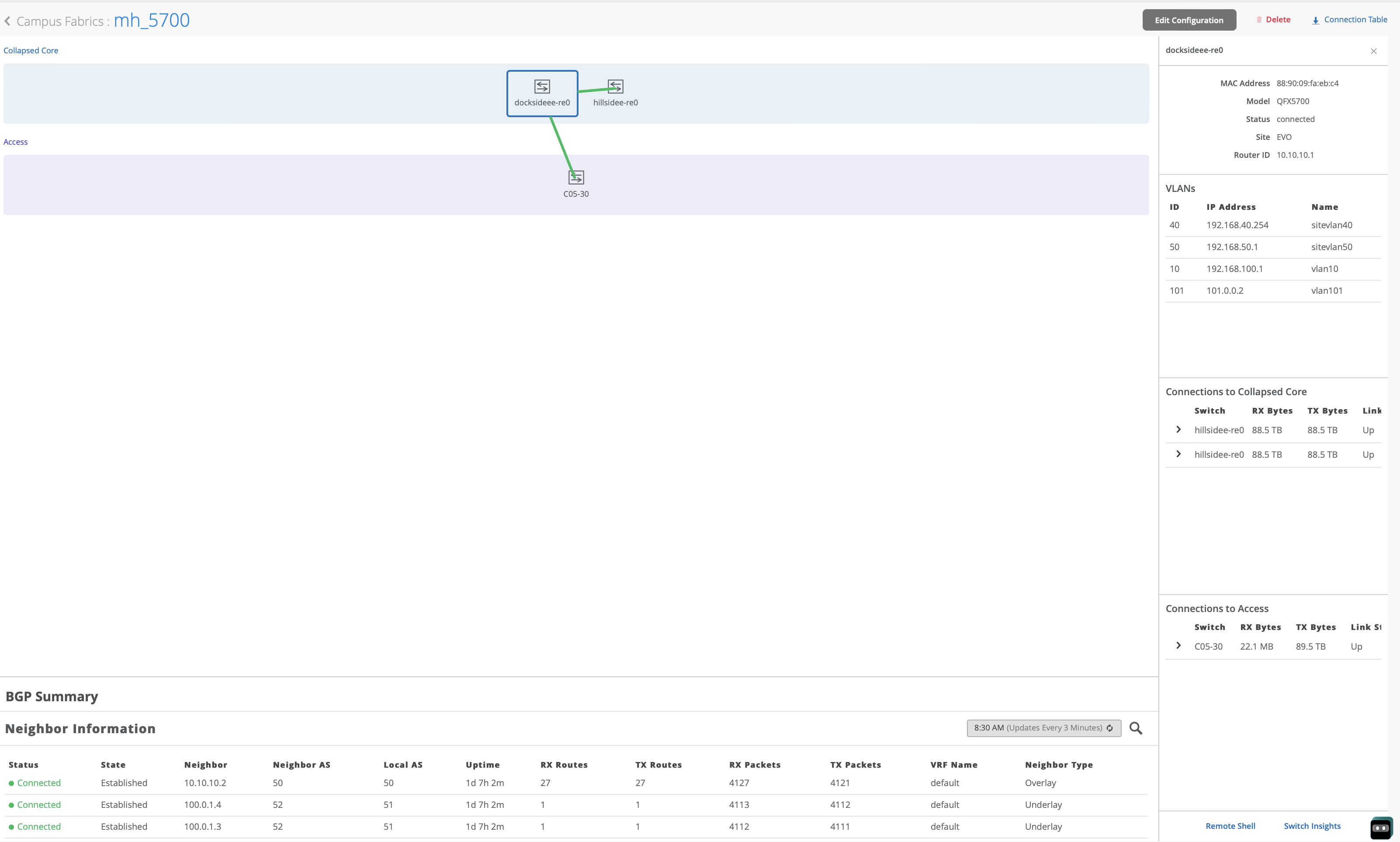
Customers will also be able to form CRB and ERB with Juniper EVO platforms QFX5130 and QFX5700 on the Mist dashboard.
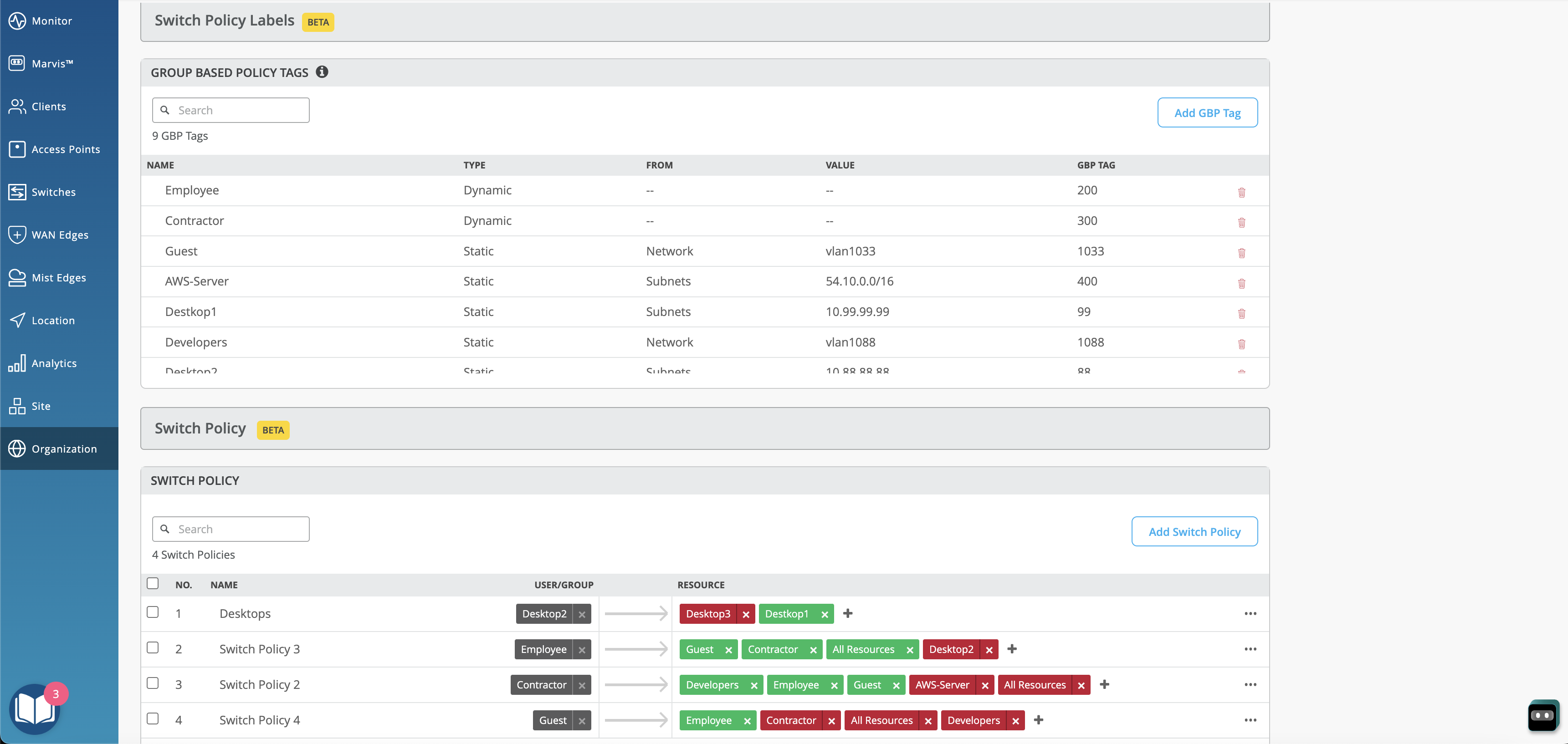
You can now configure and apply Group Based Policies (GBPs) on switches for your campus fabric IP Clos deployments. GBPs enable you to achieve micro segmentation in the network, giving you a practical way to create network access policies that are independent of the underlying network topology. The GBP configuration involves creating GBP tags and including them in switch policies. The GBP tags allow you to group users and resources. In GBP, you match a user group tag to a resource group tag to provide the specified users access to the specified resources. GBP leverages the underlying VXLAN technology to provide location-agnostic endpoint access control and allows you to implement consistent security policies across the enterprise network domains.
Only the following devices that run Junos Release 22.4R1 and later support GBPs: EX4400, EX4100, EX4650, QFX5120-32C and QFX5120-48Y.
You can configure GBPs through the switch configuration templates (Organization > Switch Templates) or from the switch dashboards (Switches > switch-name). The following image shows the GBP configuration sections in a switch template:
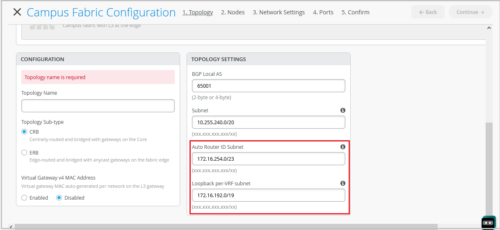
You can configure the following topology settings in the Campus Fabric Configuration page (Organization > Campus Fabric > Create Campus Fabric).
Note: You must configure separate subnets for underlay, Auto Router ID, and Loopback per-VRF. The subnets should not overlap with each other.
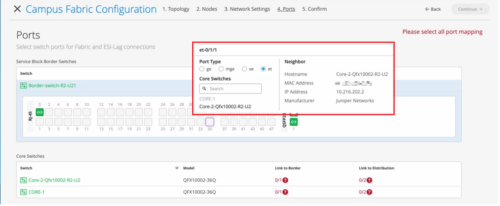
On the Ports tab of the Campus Fabric Configuration page (Organization > Campus Fabric), you can now view the port stats by hovering the mouse over the port icon. This view is similar to the port stats view on the front panel of a switch dashboard. You can also select a port to get a detailed view that includes neighbor information such as hostname, MAC address, IP address, and manufacturer.
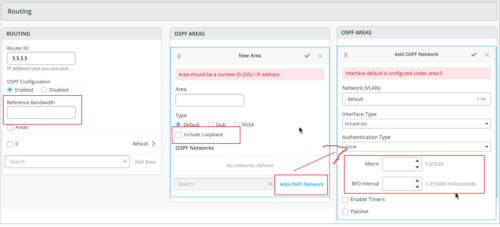
You can now configure the following additional OSPF settings for your switches.
The following image shows the new OSPF settings:
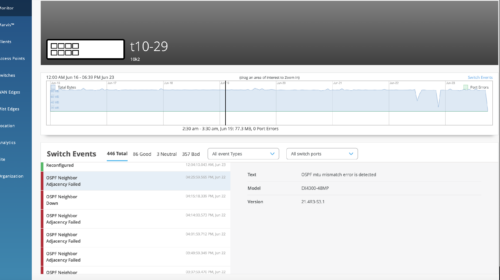
We have also enhanced the Switch Insights page (Switches > switch name > Switch Insights) to display OSPF errors such as MTU mismatch, duplicate router ID, area # mismatch, netmask mismatch, area type mismatch, OSPF Interface type mismatch.
Users can now add Assetfilters for Service UUID payloads for both org and site level via the API, which can be found under the Asset Filters section in Mist API Documentation:
NOTE: This feature can be used for Wiliot Solutions and passing Service UUID data along via discovered-raw-rssi web-hook topic, which can be found under the Client Raw Data Webhooks section in Mist API Documentation: https://www.juniper.net/documentation/us/en/software/mist/api/http/api/samples/webhooks/discovered-raw-rssi (this web-hook needs to be enabled via the API currently).
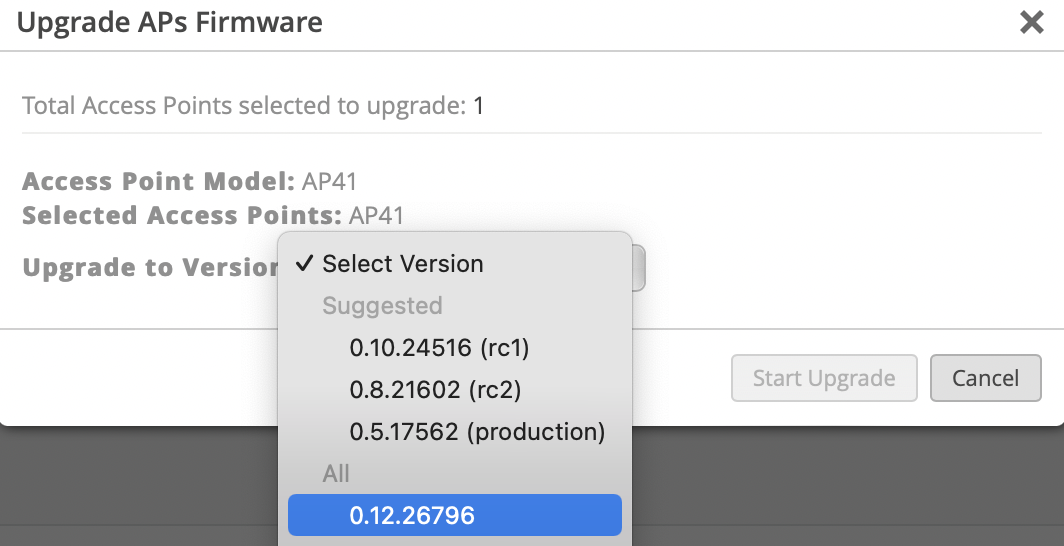
On AP firmware version 0.12.26796 or higher, Service UUID data will now go on a faster topic for web-hook option asset-raw-rssi, which can be found under the Client Raw Data Webhooks section in Mist API Documentation: https://www.juniper.net/documentation/us/en/software/mist/api/http/api/samples/webhooks/discovered-raw-rssi. The webhook needs to be enabled via the API currently. This will allow for faster updates for named assets that have Service UUID data within the BLE packets payload.
NOTE: Primary use cases for this feature include staff duress or patient duress solutions. It leverages the kontakt.io badges with button press technology capability, sending specific Service UUID data out near real time whenever a button is pressed.
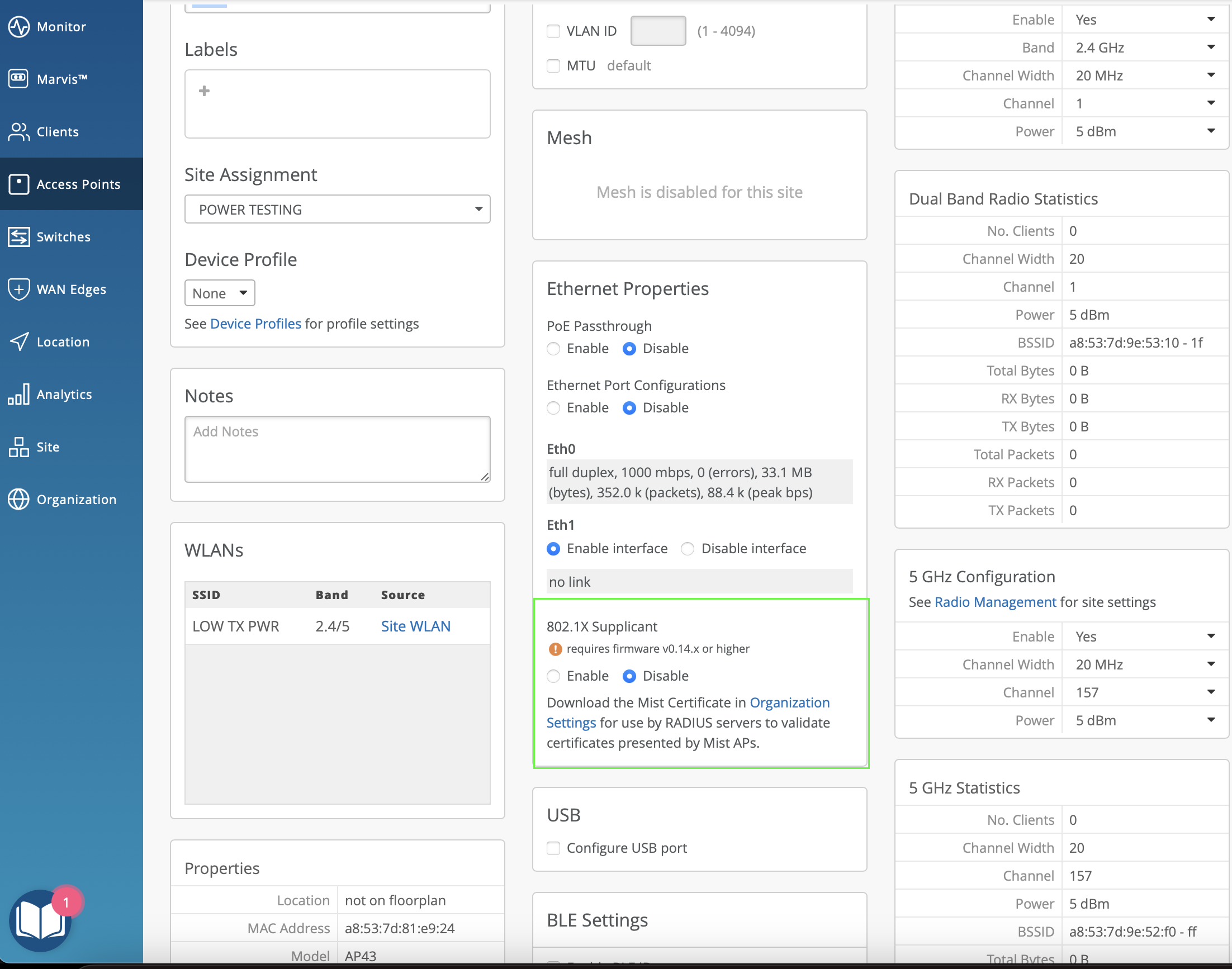
This week we are adding UI support for IEEE 802.1X supplicant on AP’s Ethernet Port. The feature is supported on firmware version 0.14.x or newer, which will be available over the next few weeks.
The Mist Edge Inventory page now shows serial numbers for greenfield Mist Edges, as well as brownfield Mist Edges running the latest Mist Edge firmware.
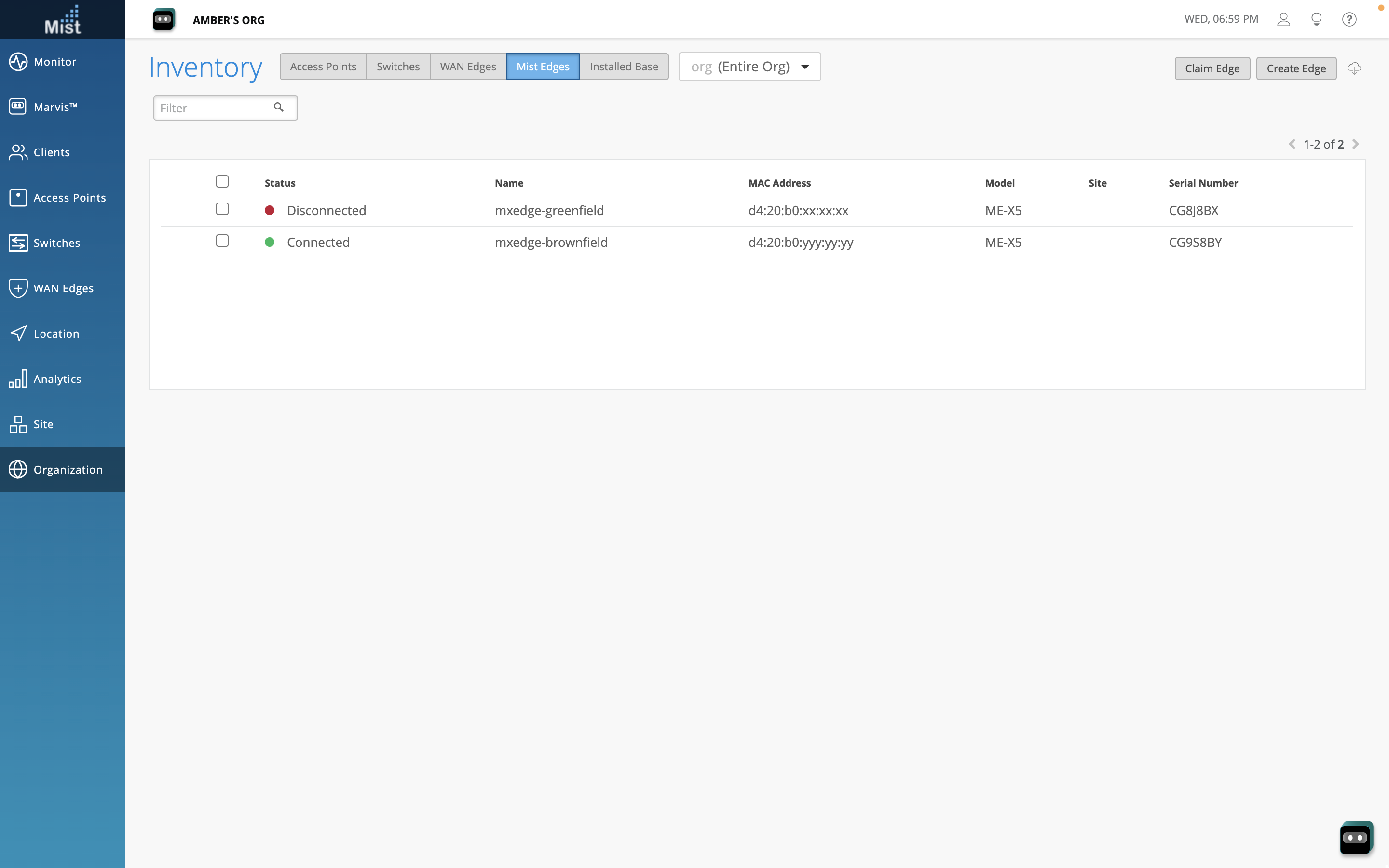
We have made the following enhancements to the Mist Edges view:
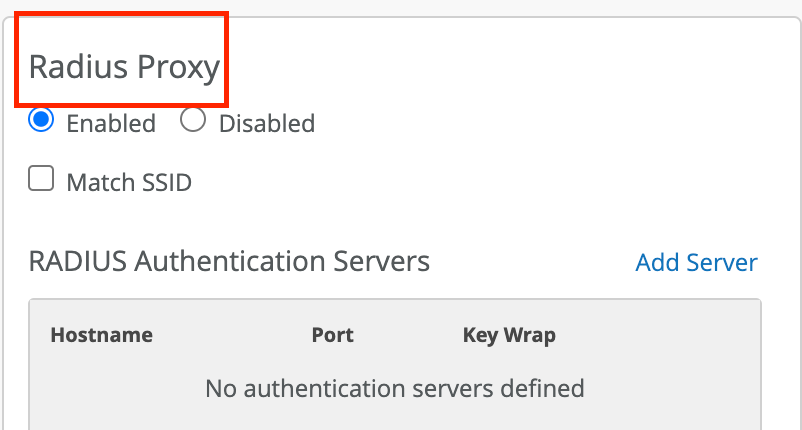
Added the following new columns to the Mist Edge Clusters section: Tunterm IPs (Tunnel Termination IPs), Tunnel Host Selection (shows Shuffle or Shuffle by site method), and Radsec Proxy (indicates if Radius Proxy is enabled).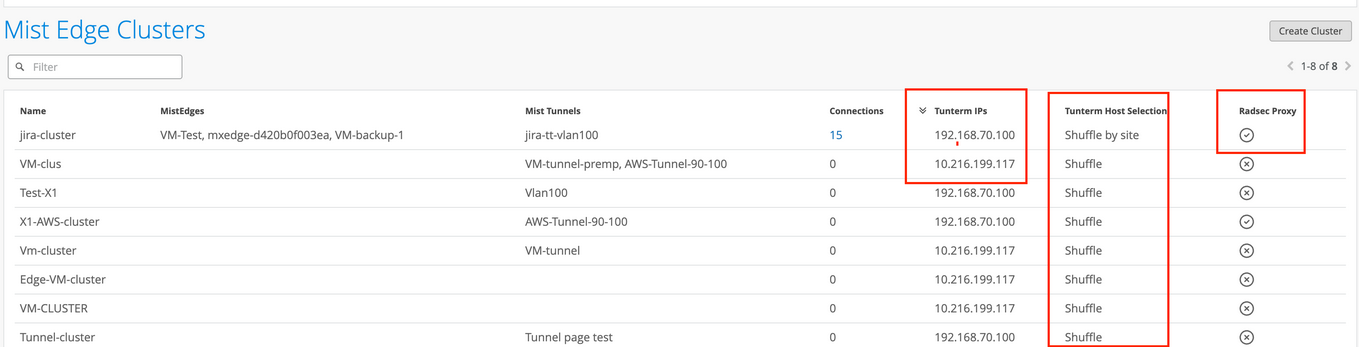

The /self API query will only report explicit granted privileges. It will not report the inherited privileges of the user. To view the inherited privileges, you need to run the GET API query at the Org level (/orgs/:org_id/sites) to see sites.
We have moved Mist Edges from the Organization and Site submenus to the main navigation on the left. We have also combined the Mist Edge Inventory, Mist Edge Clusters, and Mist Tunnels into a single page.
Note: The Mist Edge tab is visible only to the customers who have an active Mist Edge subscription.
The following table lists the changes in the navigation:
| Previous Navigation | New Navigation | |
| Mist Edge Page | Organization > Mist Edges
|
Mist Edges
(Available as a main menu item) |
| Mist Tunnels | Organization > Mist Tunnels | |
| Site Edges | Site > Mist Edges | |
| Site Mist Edge Configuration | Organization > Site Configuration | No change. |
Here is the updated Mist Edge page which is accessed from the left-hand navigation. Mist Edges, Clusters, and Tunnels are consolidated into a single page.
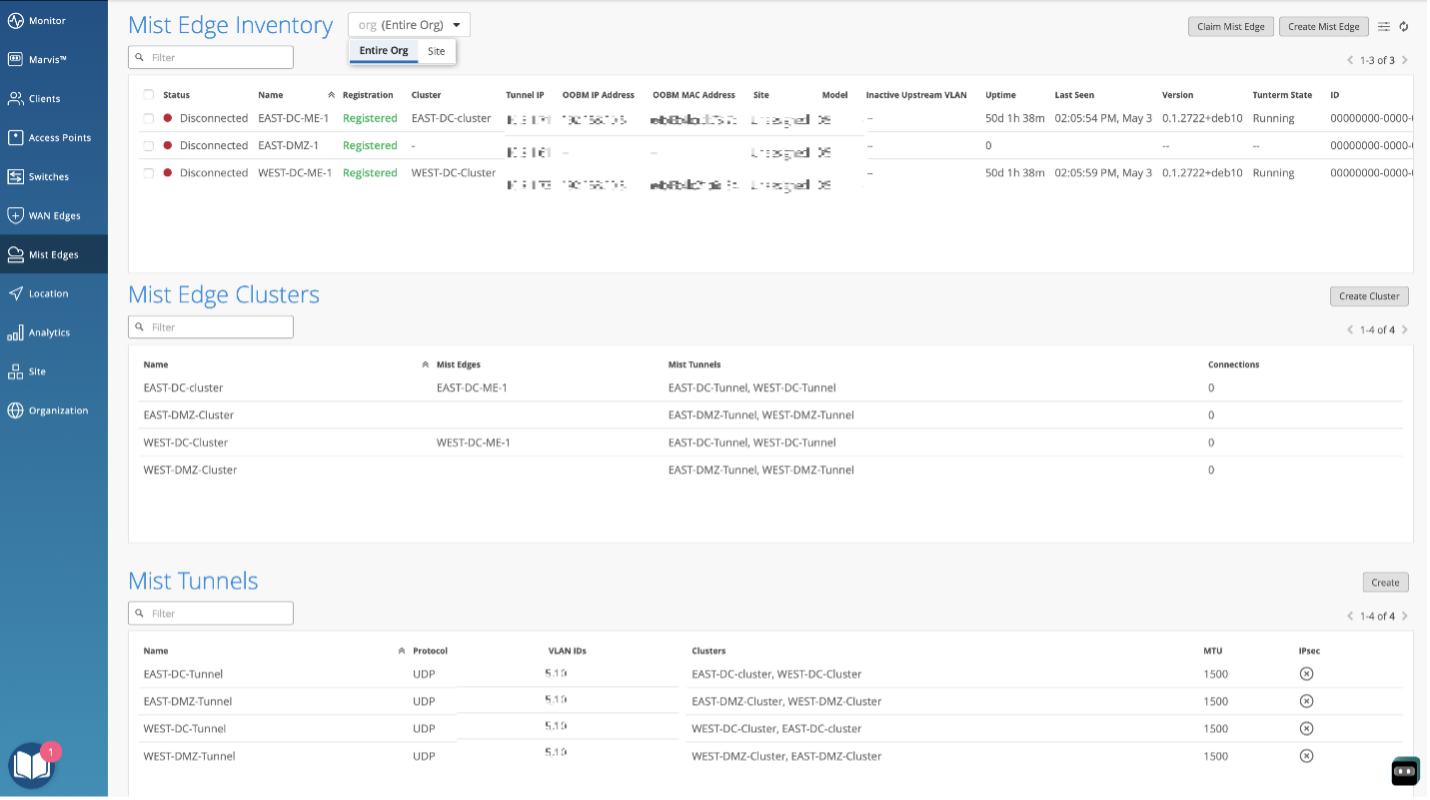
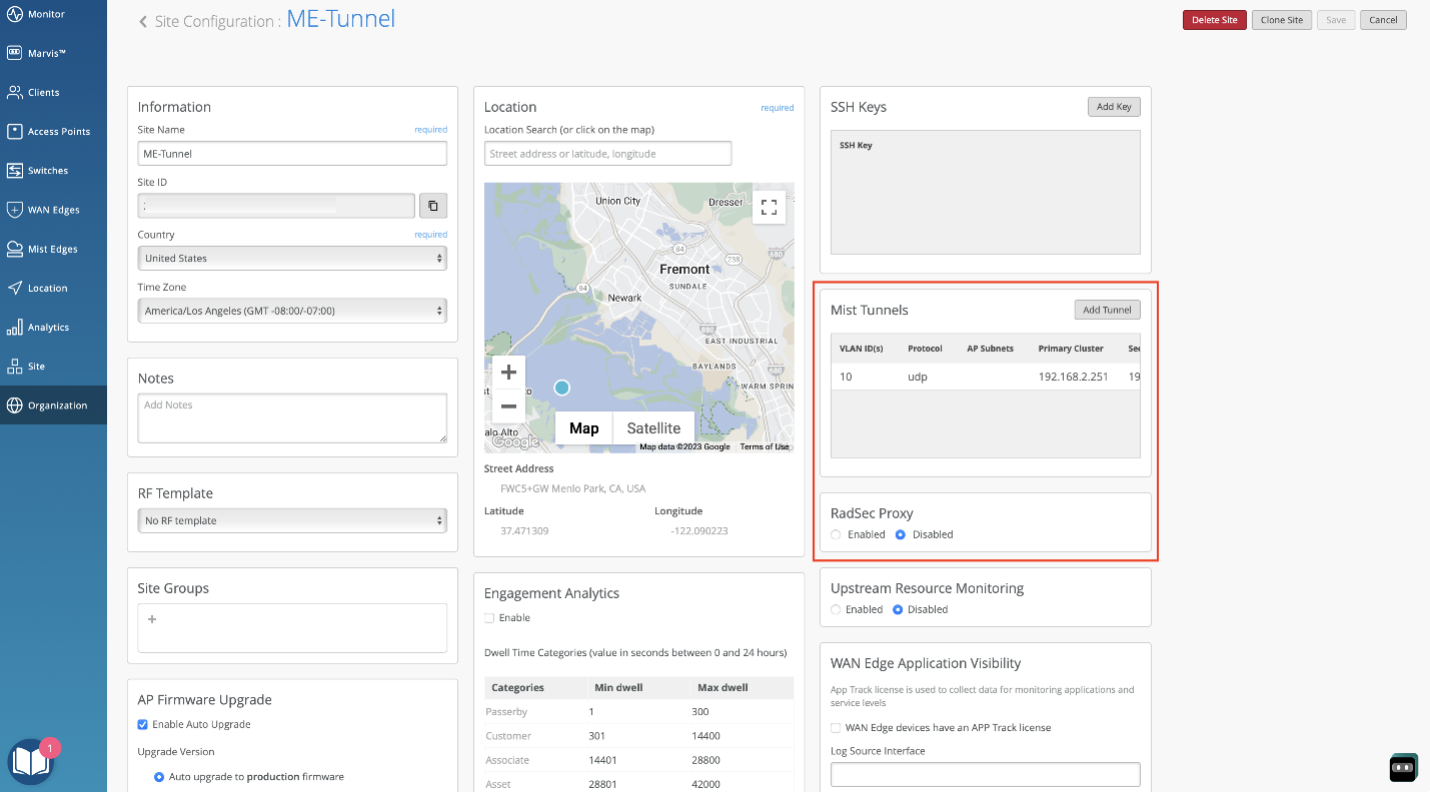
Site level configuration remains unchanged in the site settings for when Mist Edges are assigned to a specific site (site edge).
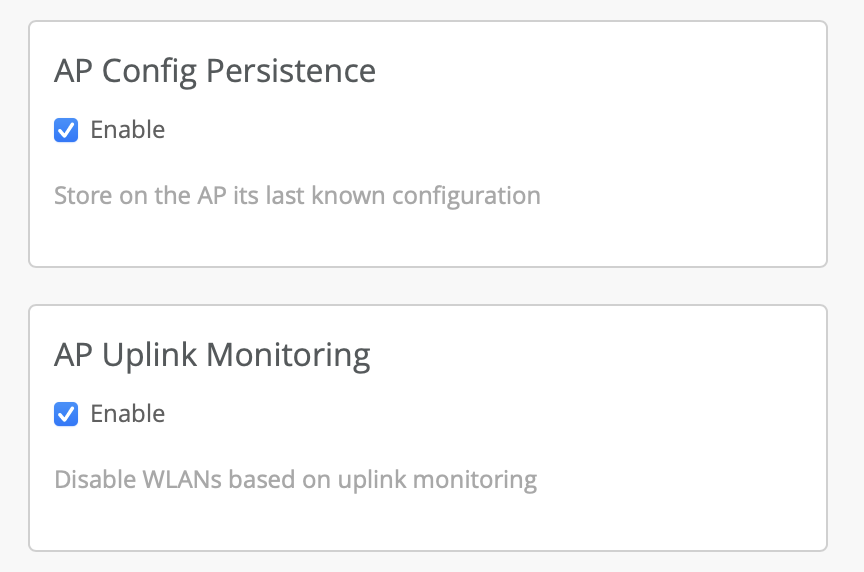
A configuration option is introduced to control the monitoring of an AP’s uplink port. Starting from 0.10 firmware, APs monitor their uplink ethernet port for link status and automatically disable their WLANs upon loss of link. Now, with the introduction of this configuration option, uplink monitoring can be disabled. This is useful for when you expect the AP to have power, but no ethernet link. Such as during an AP survey when powered by a battery pack.
By default, uplink monitoring is enabled. To disable it navigate to Organization->Site Configuration and uncheck the AP Uplink Monitoring check box.
Please note: Uplink monitoring is automatically disabled for Mesh Relay APs.
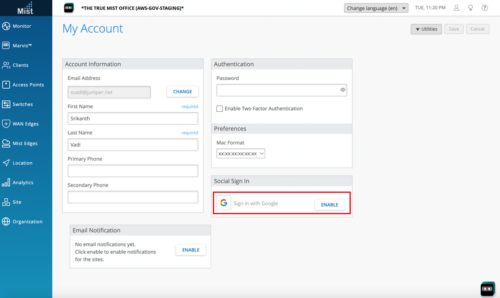
Mist does not support sign-in to GovCloud via Google. We will remove the Google sign-in option in a future update.

Switch firmware upgrade via UI is currently not available.
The Mist portal now enables you to configure alerts and email notifications for the interface up and down events on specified ports of a switch or WAN Edge. To configure these alerts and notifications, do the following:
Configure the port to support alerts.
To configure a WAN Edge port to support alerts, select the Enable “Up/Down Port” Alert Type checkbox in the LAN or WAN configuration section of the WAN Edge page (Organization > WAN Edge Templates).
To configure a switch port to support alerts, select the Enable “Up/Down Port” Alert Type checkbox on the Port Config tab in the Select Switches Configuration rule in the switch template (Organization > Switch Templates).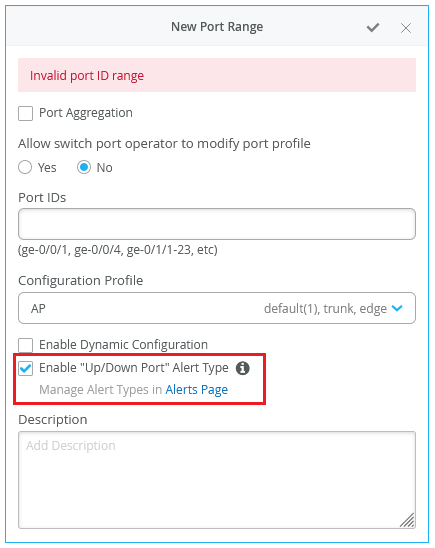
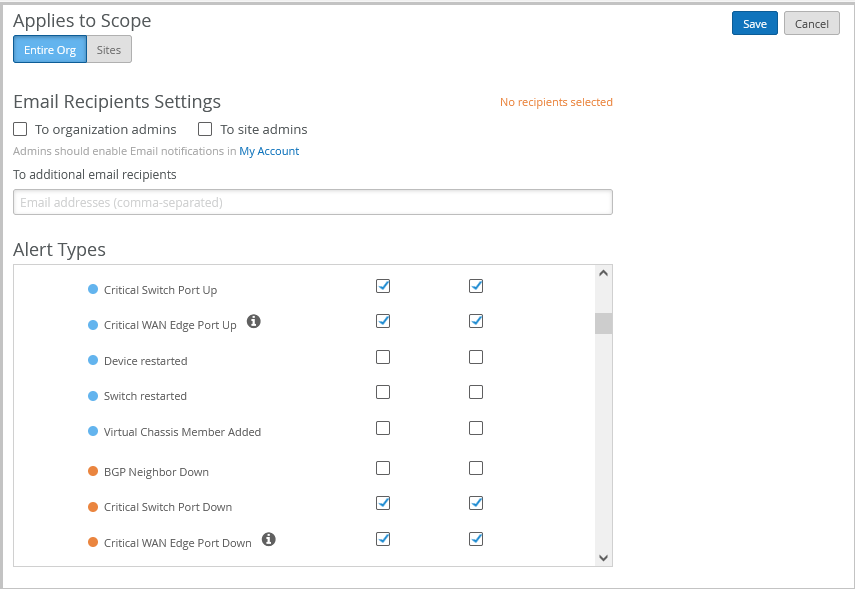
On the Monitor > Alerts > Alerts Configuration page (see the image below), use the following checkboxes to enable alerts for the selected port.
Critical WAN Edge Port Up
Critical WAN Edge Port Down
Critical Switch Port Up
Critical Switch Port Down
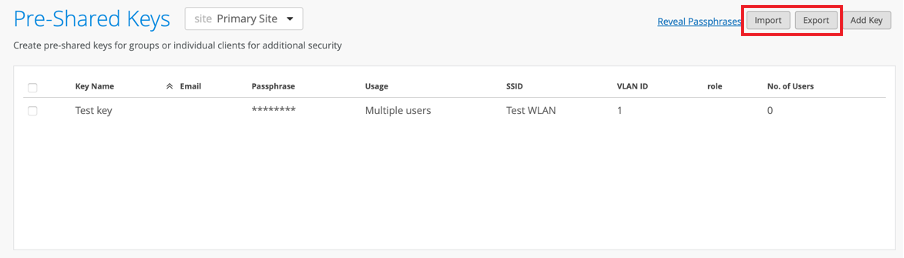
We have made the options to import and export the site-level pre-shared keys (PSKs) generally available to the Mist users. You require a Super User or Network Admin role to use these options. Click Site > Pre-shared Keys to access site-level PSKs.
We have now enabled the named assets to gravitate towards the wayfinding paths when they get within a few meters of those paths, providing a more accurate asset tracking experience to users. Wayfinding paths are designed to guide the assets along the path to a destination.
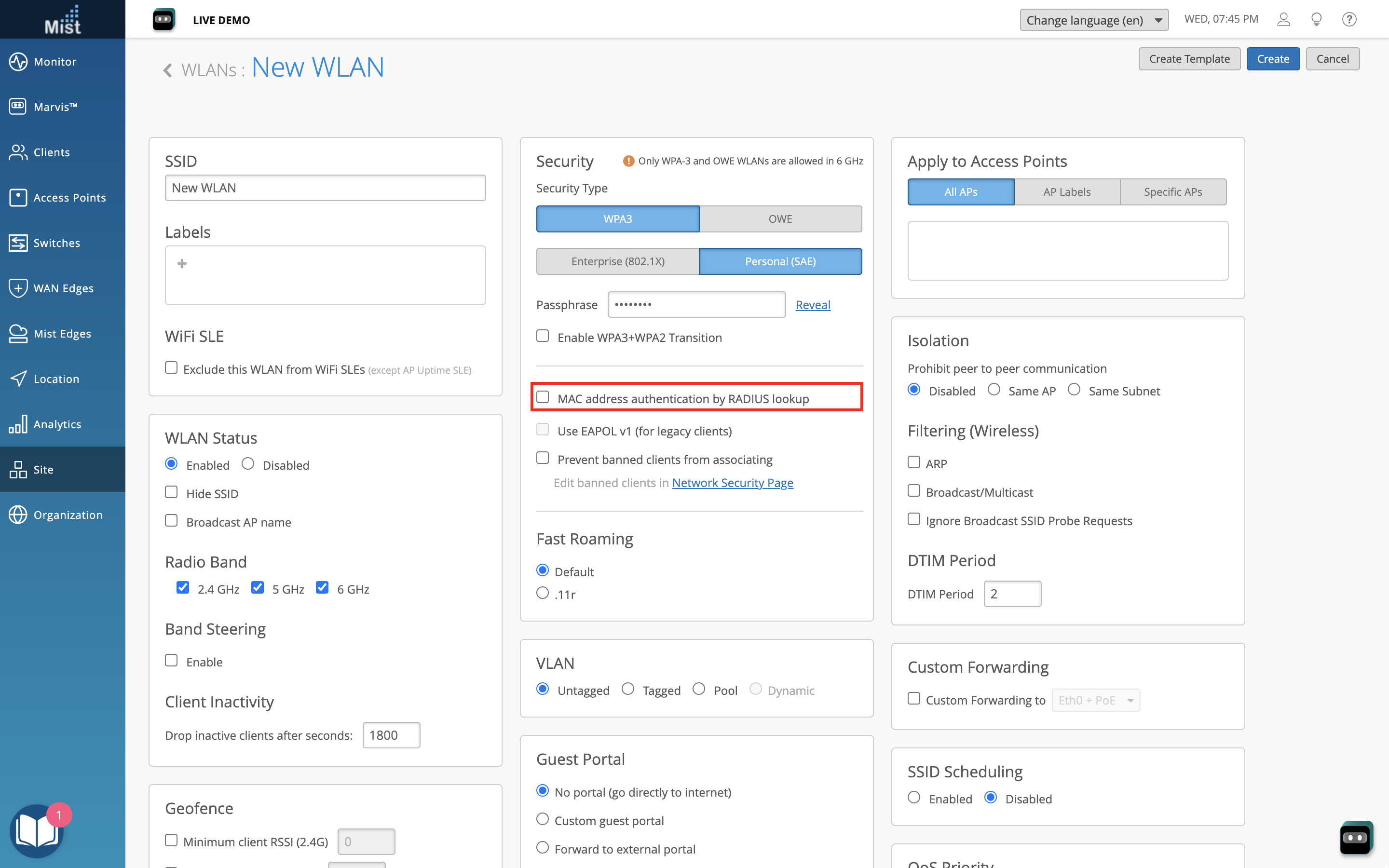
We have made the ‘Guest Access with Mac Authentication Bypass’ WLAN security option available for the following additional WLAN security types:
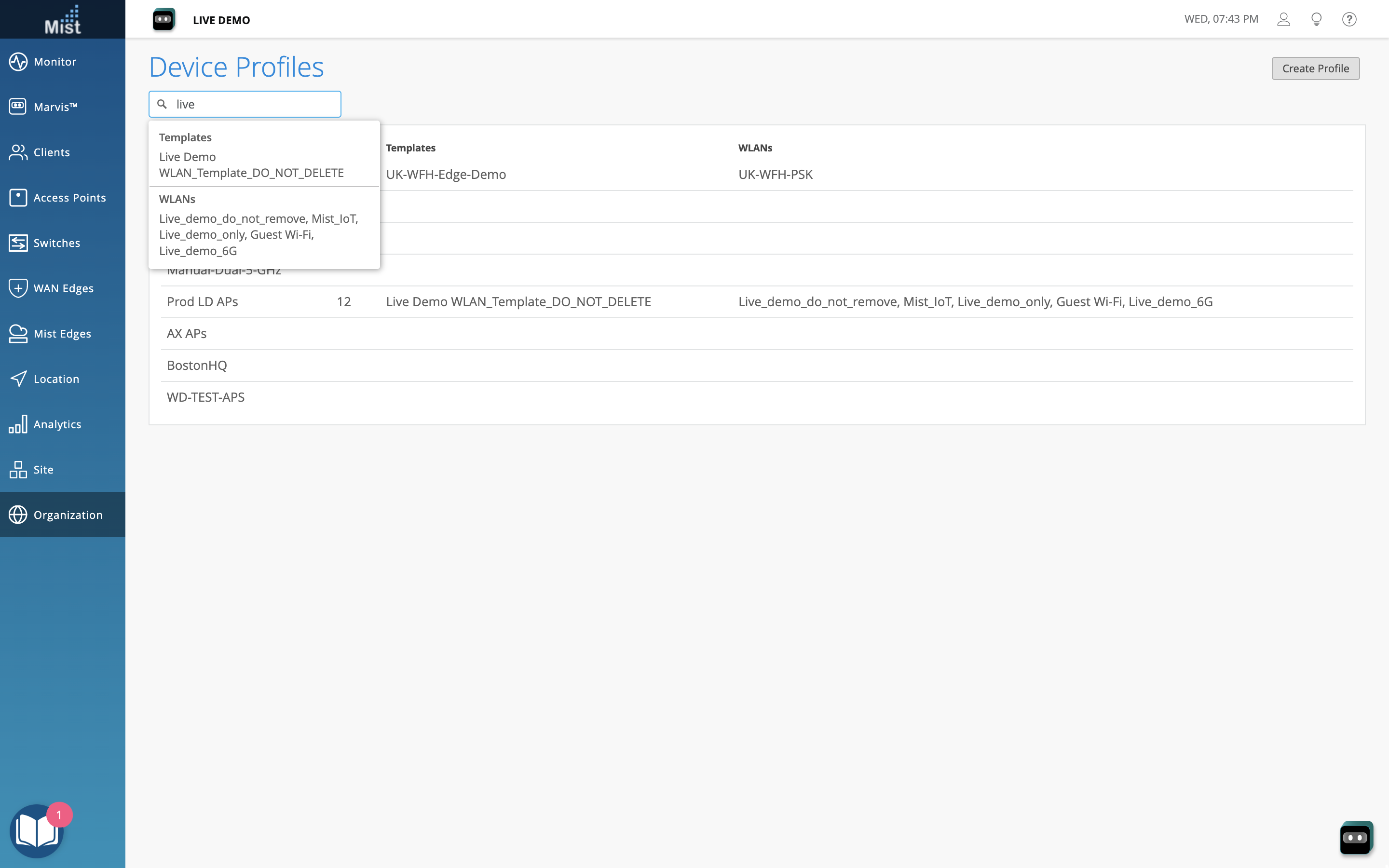
We have added a search bar on the Device Profiles page to help you filter profiles by a keyword.
We have added the following new features to the Alerts page (Monitor > Alerts) with a view to making your interactions with the page easier:

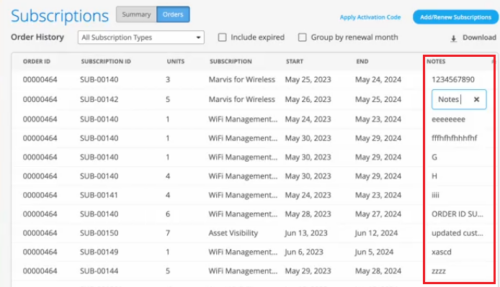
You can now add notes to your subscription orders on the Organization > Subscription > Orders page. This feature helps you track subscriptions based on custom requirements. For example, if the subscription budget is tied to a site or department, you can use the notes to track the same. To add a note, click inside the NOTES column against a subscription order, and type the notes.
For each AP that operates in a reduced functionality mode, the Access Point page provides a warning icon along with a tooltip displaying the AP’s operating mode details such as the configured radio bands and the supported antenna chains in each band. To view the operating mode information of an AP that is in a reduced functionality mode, hover over the warning icon displayed alongside the AP status.
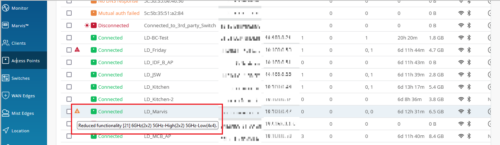
Only AP43 and AP45 support the reduced functionality mode, when specific configurations are applied. An AP45 requires the 802.3bt standard for a 4×4 antenna chain support in all the radio bands configured. However, if you enable this AP with the 802.3at standard, it operates with a fewer number of chains. The AP43 operates in the reduced functionality mode when USB peripherals are activated.
Device Profiles are now generally available to all Wireless customers.
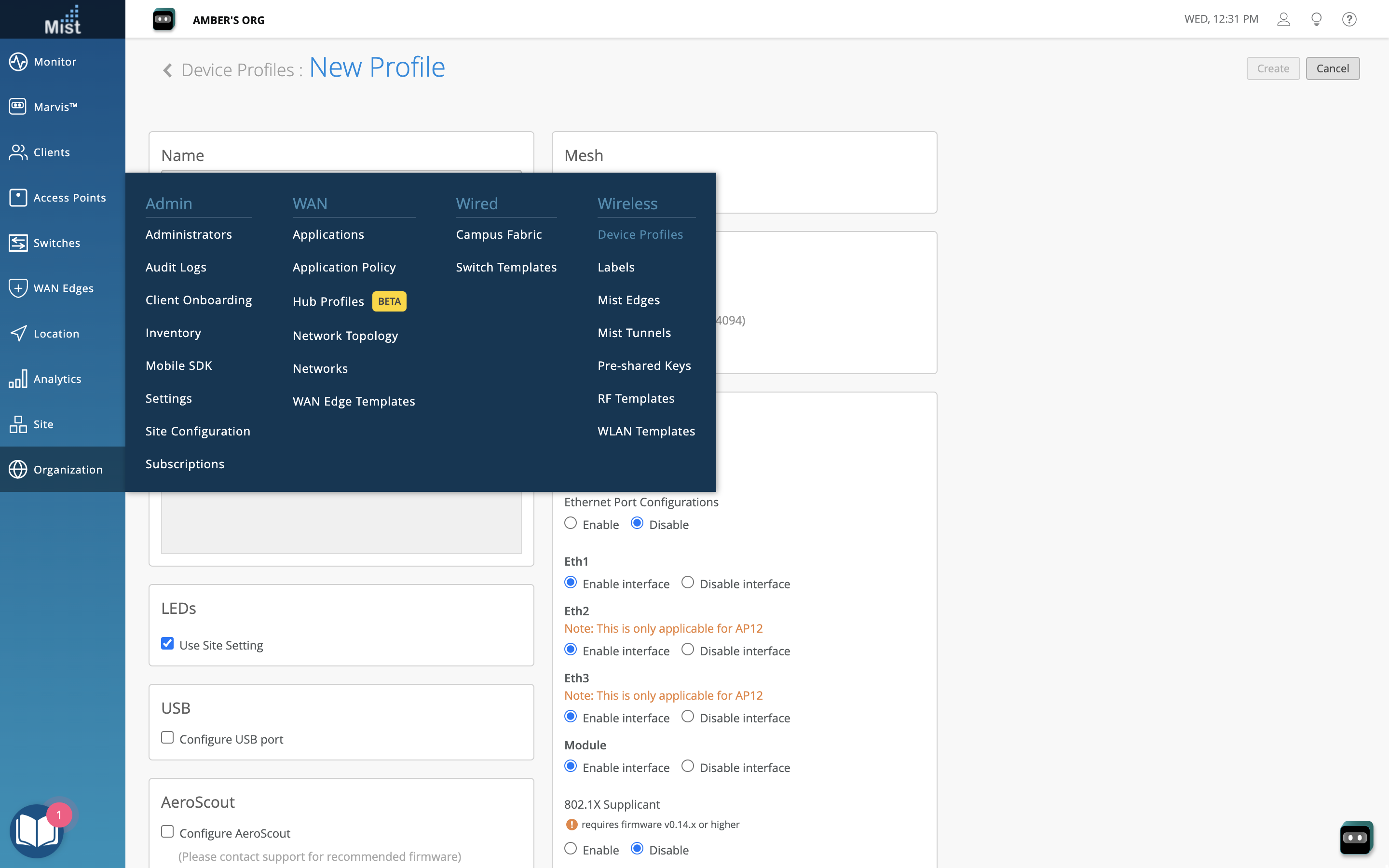
To read more about the Device Profile feature, please visit this page: https://www.juniper.net/documentation/us/en/software/mist/mist-wireless/topics/concept/mist-overview-device-profiles.html
For PSK Portal, a BYOD user can now regenerate the PSK after successful authentication with SSO.
Previously if a user logged back into the PSK portal, they would see their existing passphrase. Now they have an option to generate a new passphrase. When a new passphrase is generated, the old passphrase remains valid for 24 hours to give time for the user to transition their devices to the new passphrase.

To learn more about BYOD PSK Portals, please visit this page: https://www.juniper.net/documentation/us/en/software/mist/mist-access/topics/task/client-onboarding-psk-portals.html
Now, audits logs will be generated whenever a user creates PSKs using the “Import“ option.

Navigate to Organization > Audit Logs to view your full list of Audit logs.
Auto-Provisioning UI will now restrict users from choosing both Ignore the last n and Select first n characters rules simultaneously.
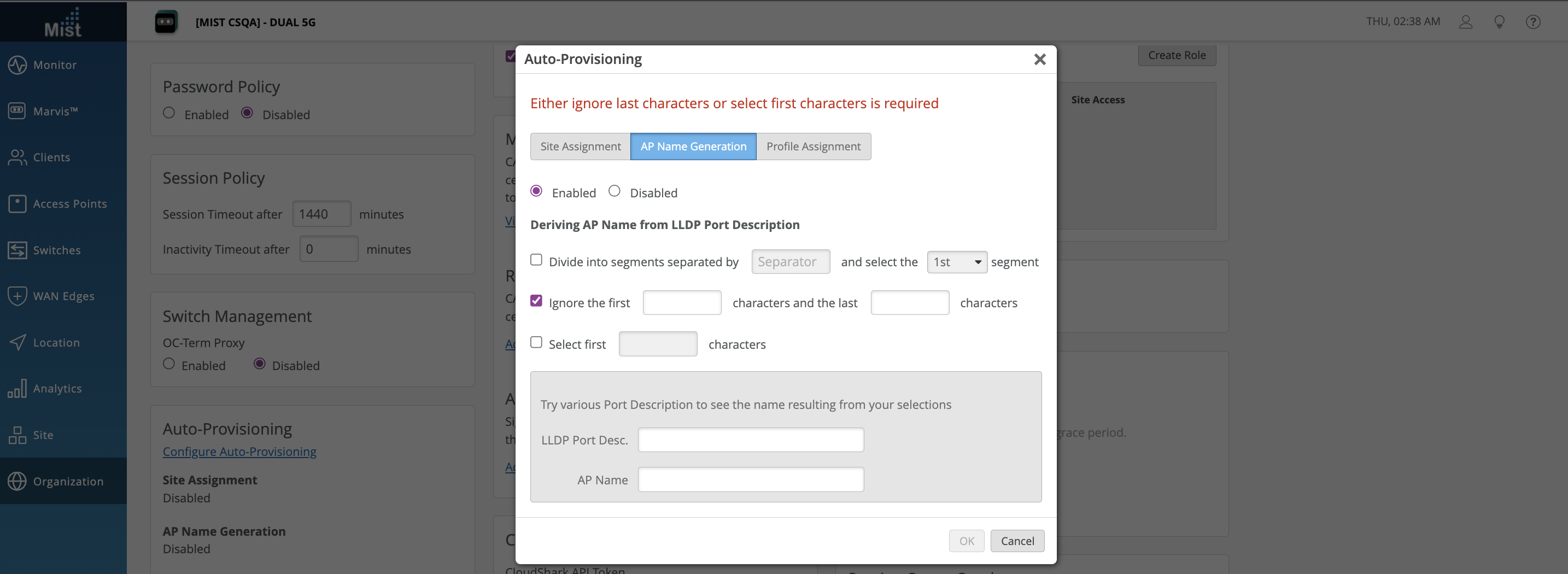
Please see Auto-Provisioning to learn more.
The AP hostname will be updated to retain any “.” characters in its name. Previously the “.” character would get stripped from the AP name when converted to the hostname for things such as LLDP system name, DHCP option 12, and AP name in beacon.
On July 19th, 2023, at 9am PST, Juniper Mist ended support for cipher suites using the Cipher Block Chaining (CBC) mode of operation on our cloud endpoints. These cipher suites are known to be susceptible to attacks such as padding oracle attack, which can lead to data leaks and other security issues.
For more information, refer to End of support for cipher suites using the CBC mode.