
Creating a New Project
-
To create a new CAT project, click the New Project button in the CAT Testcase Design window.
-
The project title is listed in the title bar as “Default”. Click the Save Project button to save the project with a name. This will open up the File Chooser window. Select a name for your project. CAT projects are saved with file extension .prj
Figure 1: CAT Testcase Design creating new project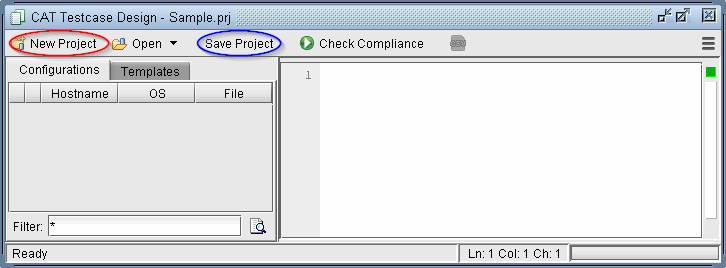
-
The next steps are to add configuration files and templates to the CAT project. It’s recommended to periodically Save Project as you work.